RULE THE GREEKS · 驾驭希腊值
The self-hosted options trading terminal
Everything an options trader keeps ten browser tabs open for, in one terminal: live positions and Greeks, P/L and risk, exit alerts, paper trading, a stock screener, market news, earnings and SEC filings, and an honest trade journal. It runs on your own computer and works with tastytrade, Alpaca, Public, or a CSV from any broker.
- Free for personal use
- 100% local
- 中文 · 双语 · English
- macOS · Linux · Windows
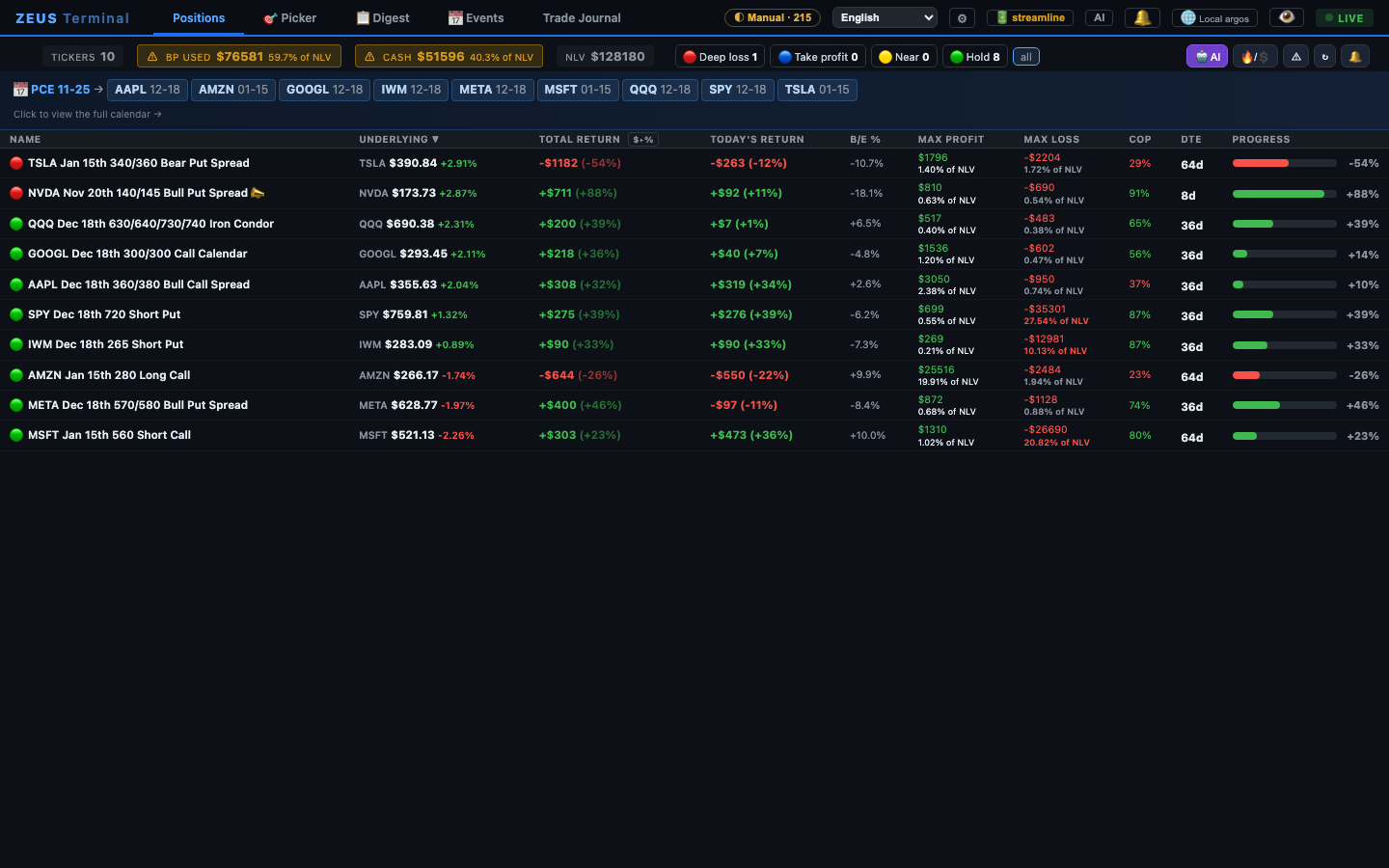
One terminal, all of it
Built by an options trader for daily use, then opened up. Every page also has a ? that explains each button and number: what it is, how it is calculated, how to use it.
⚔️ Positions and Greeks
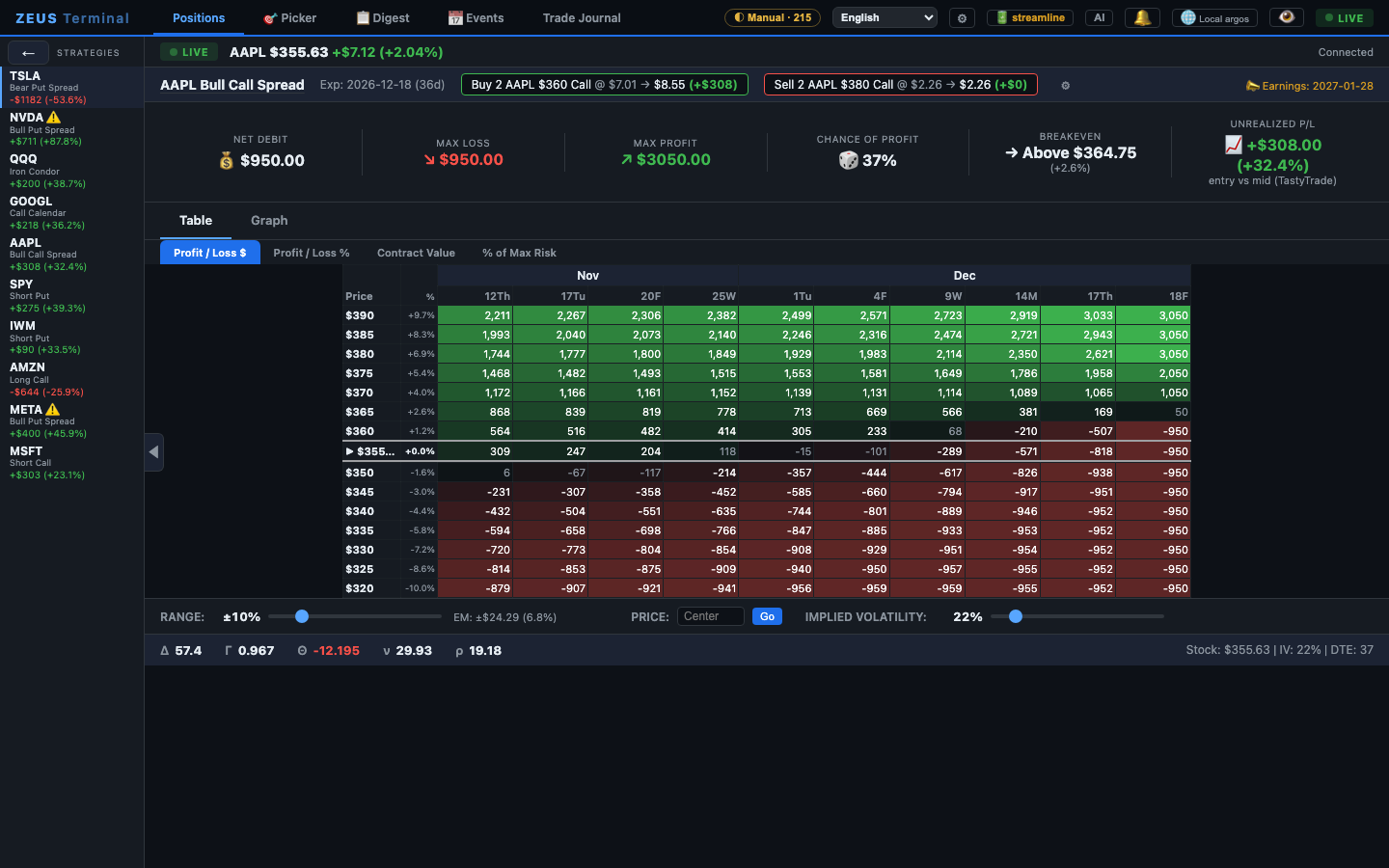
Every leg marked to market and grouped into strategies: verticals, iron condors, calendars, diagonals, covered calls and stock. Today's and total P/L, breakeven distance, max profit and loss, chance of profit, DTE.
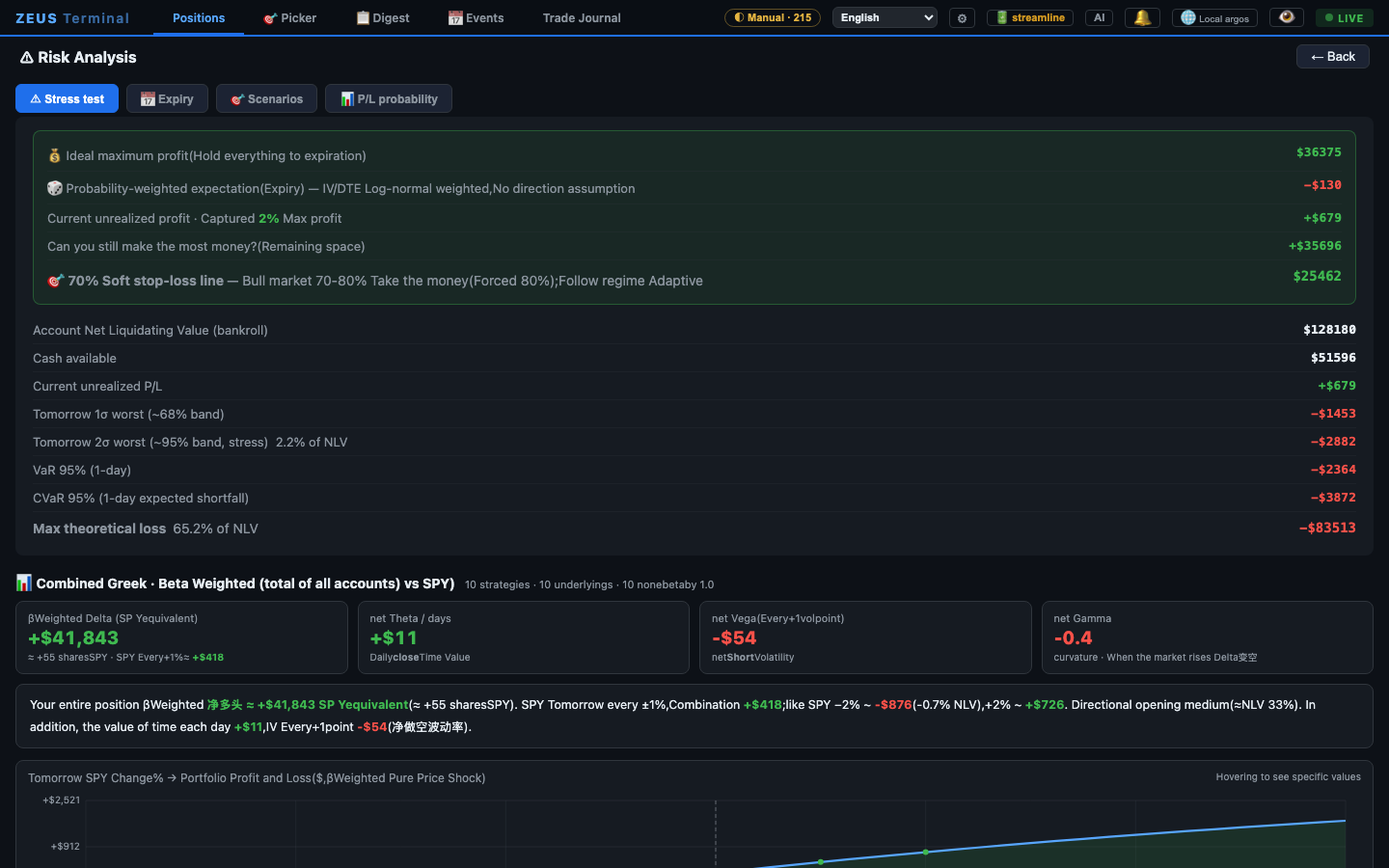
⚠ Risk view
Stress tests for market moves, portfolio Greeks, an expiration ladder, theta runway and Monte Carlo odds for the whole book.
🩺 Exit discipline
Take-profit and deep-loss lights, an alarm for spreads without a closing order, a four-gate pre-trade checkup, a liquidity scan and an event risk radar.
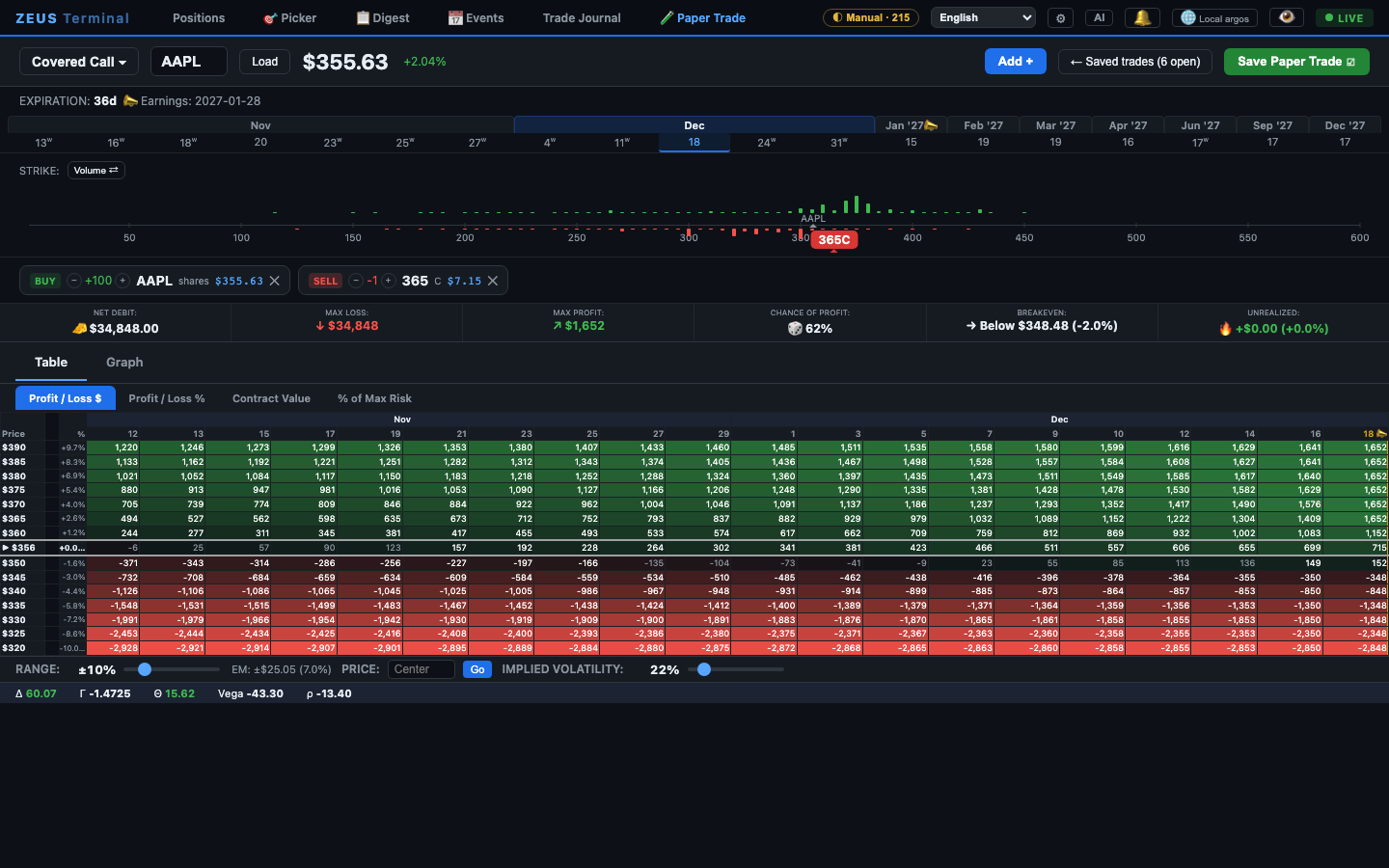
🧪 Paper trading
Build any strategy on the live option chain, with option and stock legs, then follow its P/L like an options profit calculator that keeps score.
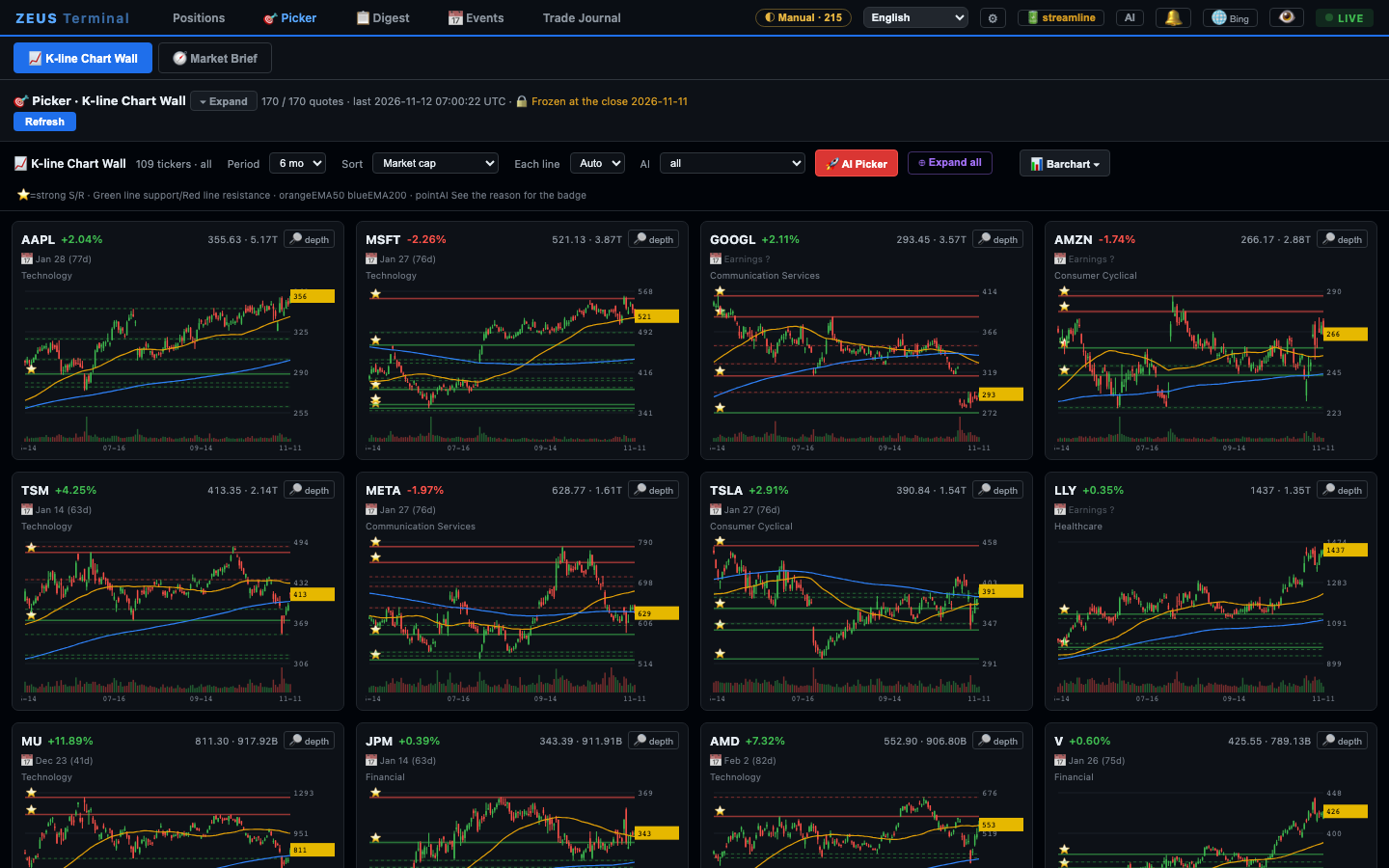
🎯 Stock picker
A chart wall with support and resistance and EMA 50/200, a TA score, a heatmap, sector rotation and options sentiment, plus a TA screener that suggests spreads.
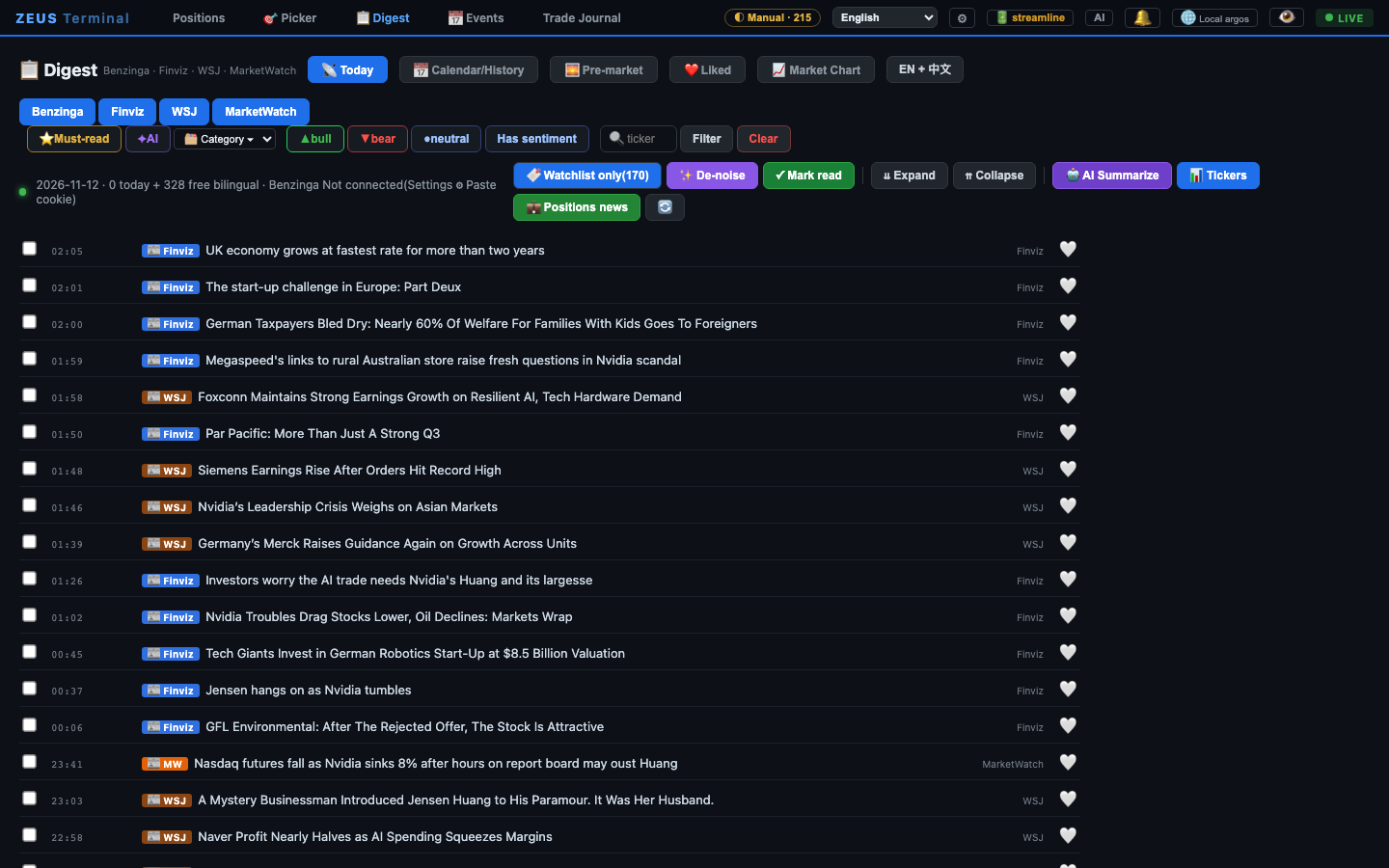
📋 News desk
Finviz, WSJ, MarketWatch and optionally Benzinga in one list, headlines in English and Chinese, filters for your positions and watchlist.
📅 Earnings and filings
An earnings and macro calendar, corporate events and an SEC EDGAR filings reader next to your positions.
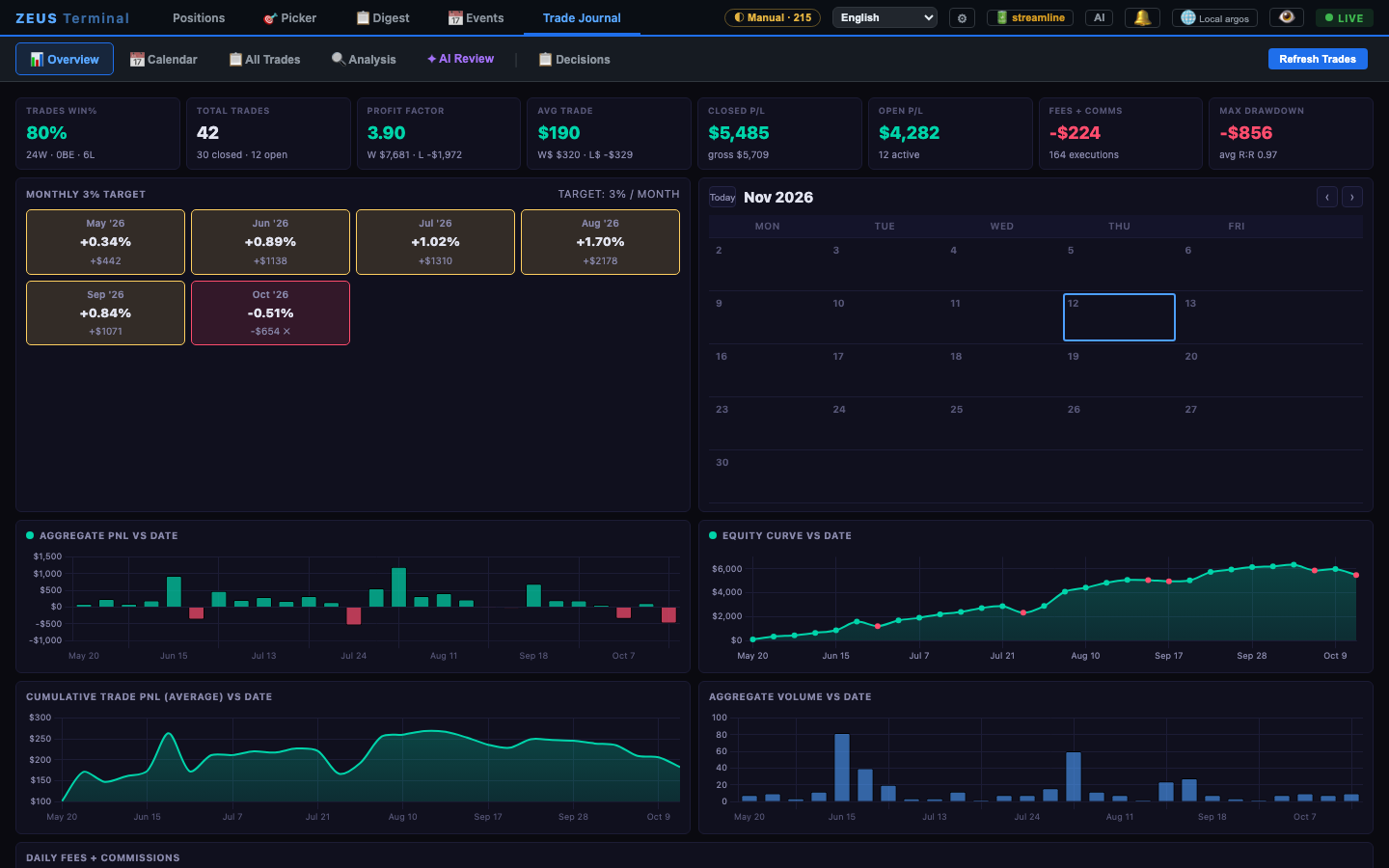
📓 Trade journal
Win rate, profit factor, a P/L calendar, monthly targets, what-if analysis and an AI review, rebuilt from your fills.
🤖 Your AI and agents
Bring Claude, an OpenAI-compatible API or a local model. An MCP server lets AI agents read your positions, run the checkup and price spreads.
tastytrade, Alpaca, Public, or no broker at all
ZEUS only reads from your broker; it never places an order. Positions and quotes are separate choices, and anything a broker does not carry comes from free sources.
| tastytrade | Alpaca | Public | Free mode | |
|---|---|---|---|---|
| Positions | Live from your account | Live from your paper or live account | Live from your account | From a CSV or trades you type in |
| Quotes | Real-time streaming | Free: IEX stocks in real time, options with Greeks and IV | Real-time quotes, chains and Greeks | Cboe options and Yahoo stocks, about 15 minutes delayed |
| What you need | A tastytrade account | A free account; paper needs no deposit | A Public account | Nothing |
Screenshots
The trades are made up; quotes, news and filings are real public data from the day the pictures were taken.
Quick start
Python 3.10 or newer. The first start installs everything into a local virtual environment.
git clone https://github.com/jackson-cmd/zeus-options-terminal
cd zeus-options-terminal
./start.sh # macOS / Linux (Windows: double-click start.bat)- The browser opens
http://localhost:8765. - Press Load the sample to look around with a sample portfolio priced from today's quotes.
- Then connect tastytrade, Alpaca or Public in ⚙ Settings, or upload a CSV of your trades.
FAQ
Is ZEUS Terminal free?
Yes, for personal, non-commercial use (PolyForm Noncommercial license). It runs on your own computer, with no subscription and no account to create.
Do I need a tastytrade account?
No. Connect tastytrade, Alpaca (free, with a paper account) or Public, or upload a CSV of your trades from any broker. Without a broker feed, quotes come from free sources: Cboe options about 15 minutes delayed and Yahoo Finance stocks. A sample portfolio lets you try every page first.
Does it place trades?
No. It only reads positions and quotes from your broker. The Paper Trade tab simulates trades for practice; nothing is sent to a broker.
Where is my data stored?
Only on your computer, in ~/.zeus-terminal. Keys, trades and settings never leave it, except in requests to the broker or service you connected yourself. There is no telemetry.
Which systems does it run on?
macOS, Linux and Windows with Python 3.10 or newer. Desktop notifications are macOS only; e-mail alerts work on macOS and Linux.
Is there a Chinese interface?
Yes. The interface switches between Chinese, bilingual and English at any time, and news headlines can be shown in both languages.